Opt-In Flow & Proof of Consent
Visual proof of how PlaceAndPost obtains express written SMS consent before any messages are sent. All checkboxes are unchecked by default.
Try the interactive consent flow yourself — checkboxes are clickable:
Try Live Consent Demo →Consent Checkboxes Are Unchecked by Default
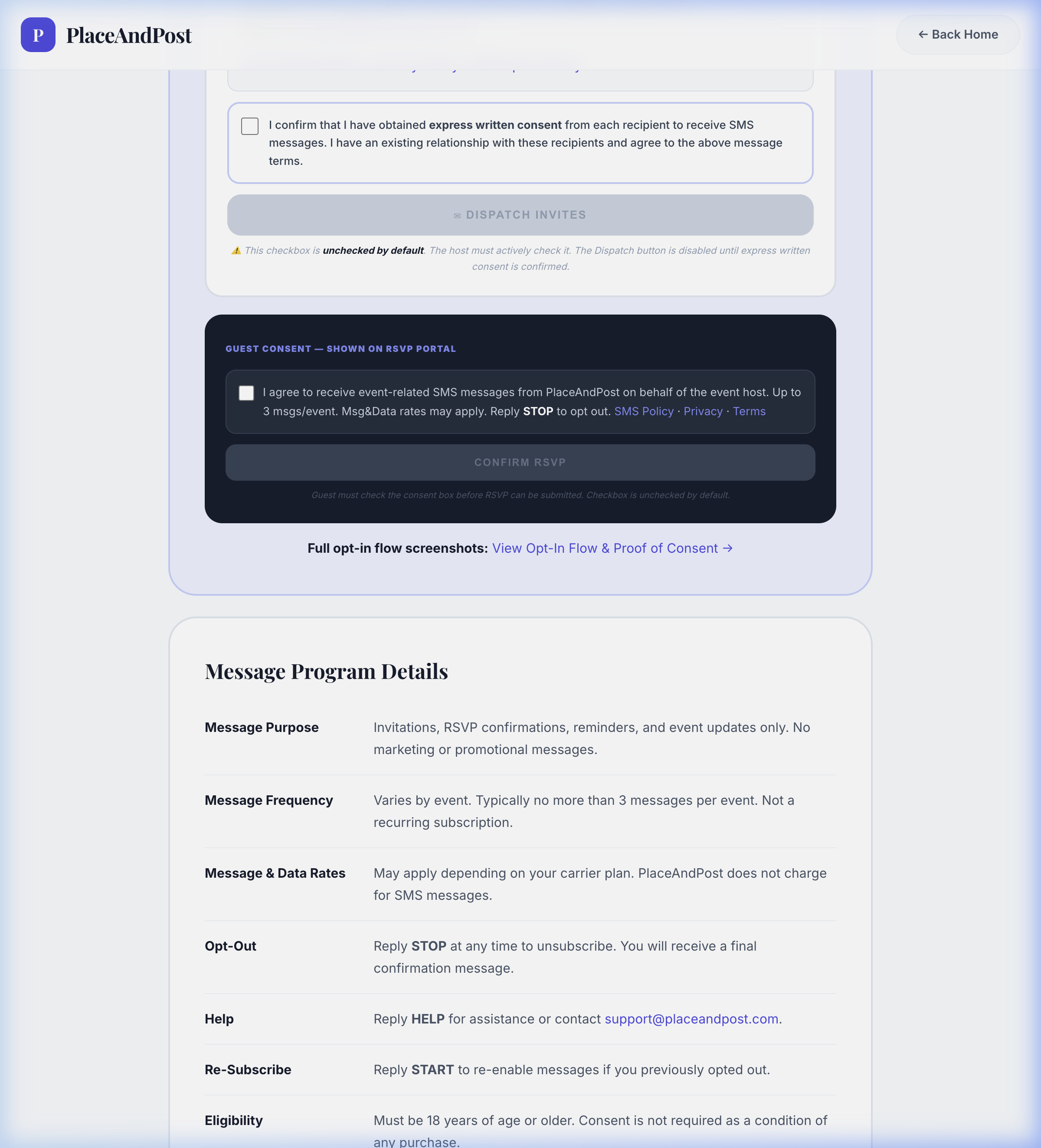
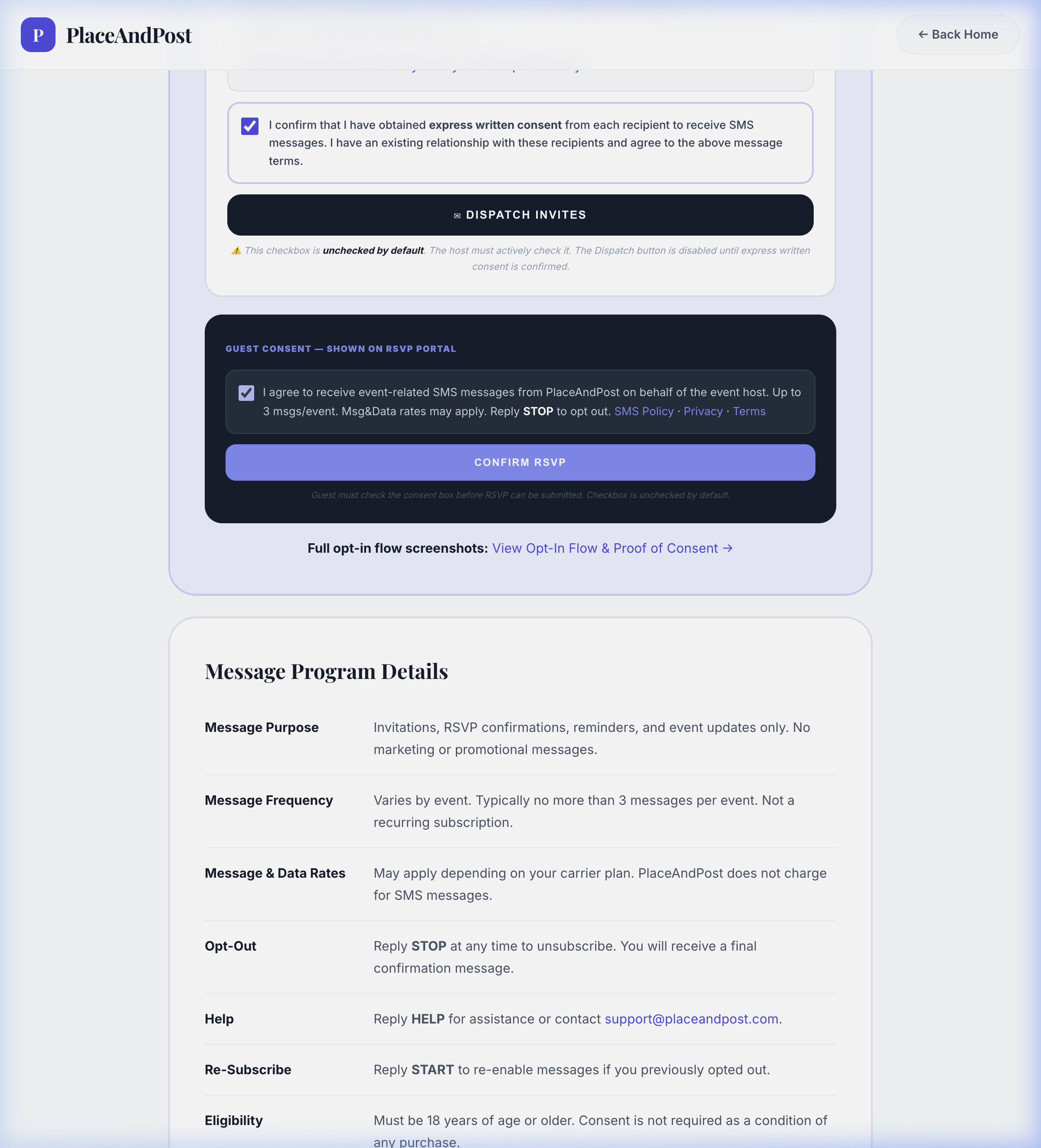
This screenshot shows the actual PlaceAndPost consent interface. Both host and guest consent checkboxes start unchecked by default. The host's "Dispatch Invites" button is disabled until the host's attestation checkbox is checked — ensuring no SMS is sent without the host's explicit confirmation of guest consent. The guest's "Confirm RSVP" button is always enabled — SMS consent is entirely optional and not required to submit an RSVP.
How Hosts Consent Before Dispatching SMS
When an event host selects SMS as the invitation channel, a mandatory disclosure panel is displayed. The host must read all disclosures (brand, message types, frequency, rates, STOP/HELP, policy links) and then actively check the consent checkbox. The checkbox reads:
"I confirm that I have obtained express written consent from each recipient to receive SMS messages. I have an existing relationship with these recipients and agree to the above message terms."
The "Dispatch Invites" button remains disabled until this checkbox is checked. Consent attestation is recorded server-side with timestamp before any SMS is sent.
How Guests Optionally Consent to SMS on RSVP Page
When a guest opens their RSVP portal, an unchecked-by-default SMS consent checkbox is displayed alongside the RSVP buttons. The checkbox is entirely optional. The "Confirm RSVP" button is always enabled — a guest may submit their RSVP response without checking the SMS consent box. The optional checkbox reads:
"I agree to receive event-related SMS messages from PlaceAndPost on behalf of the event host. Up to 3 msgs/event. Msg&Data rates may apply. Reply STOP to opt out."
If left unchecked, the RSVP is saved and SMS dispatch for that guest is simply disabled — no messages will be sent. If checked, SMS consent is persisted server-side with timestamp for compliance audit.
What Recipients See
Every SMS sent by PlaceAndPost includes brand identification and opt-out instructions:
Reply STOP to opt out, HELP for help. Msg&Data rates may apply.